
This beginner’s guide explains the essential tools, the safest starter mods, the simple option for easier graphics upgrades, and the common mistakes to avoid before your first serious setup.
Most games give you a fixed world. GTA 5 gives you a world that can be rebuilt. That is why players keep turning to mods. Mods can change how Los Santos looks, behaves, and responds to your style instead of locking you into the same routes forever.
The best beginner setup works better with a clear order: build the foundation, add a few reliable tools, test the game, then expand.
Before installing trainers, graphics packs, vehicles, interiors, or scripts, you need the core tools that allow most mods to work. Think of this step as preparing the garage before bringing in new cars.
Script Hook V allows GTA 5 to run custom script-based mods in single-player. Many trainers, gameplay changes, and utility scripts depend on it. When Rockstar updates GTA 5, Script Hook V may need an update too. If the game suddenly stops launching after a patch, this file is often the first thing to check.
Use it mainly for Story Mode modding. Do not take Script Hook V into official GTA Online sessions.
OpenIV is the main tool for accessing and managing GTA 5’s internal files. It can open game archives, install certain packages, and create a separate mods folder. That folder matters because it keeps your original files safer. If something breaks, you are not forced to rebuild the entire game from zero.
Some popular GTA V mods are built with .NET scripting. Community Script Hook V .NET helps those scripts run correctly. You may not need it for every small mod, but installing it early improves compatibility with many gameplay tools, trainers, and community scripts.
Once the technical base is ready, choose mods that give you immediate value and keep the setup easy to manage. These beginner picks are popular because they change the experience quickly, stay useful for many playstyles, and help you understand how modding works.
Menyoo PC turns GTA 5 into a full sandbox. You can spawn vehicles, change weather, teleport, adjust time, create scenes, customize characters, and experiment with the world without waiting for missions or money.
Best for: players who want quick control over vehicles, weather, teleporting, and sandbox experiments.
VisualV is a smart first graphics mod because it improves the look of GTA 5 without pushing most PCs too hard. It refreshes lighting, weather, colors, draw distance, and visual balance while keeping the original style recognizable.
Best for: beginners who want better visuals without turning the game into a performance test.
World of Variety makes Story Mode feel less frozen in time. It brings more cars, pedestrians, emergency vehicles, and ambient details into the world. Los Santos starts to feel busier and closer to a living city rather than a fixed 2013 snapshot.
Best for: players who want more traffic variety, more world activity, and a livelier single-player city.
Simple Trainer is a classic utility mod. It gives you quick access to practical toggles like invincibility, wanted level control, vehicle spawning, weapons, time, weather, and other gameplay settings.
Menyoo is more visual and creative. Simple Trainer feels more direct and functional. Many players use both because each one handles certain tasks better.
Best for: players who want stable shortcuts and fast gameplay control.
Open All Interiors solves one of GTA 5’s oldest frustrations: too many buildings look important but stay locked. This mod opens many interiors that are normally available only during missions or not accessible in free roam.
For exploration, screenshots, roleplay scenes, and custom routes, it makes a big difference. The city feels less like a movie set and more like a place you can actually move through.
Best for: players who want more places to enter, explore, and use in free roam.
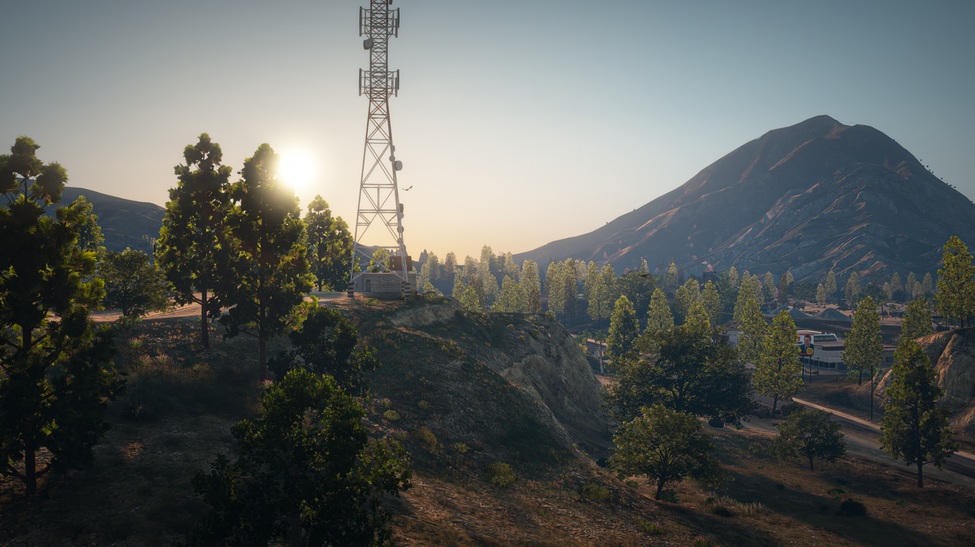
Once your basic tools are ready, you can decide how far you want to push the visual side of the game. Some players enjoy manual graphics setups. Others want a cleaner path with fewer folders, fewer file conflicts, and faster installation.
Ray Fusion is the ModsHub graphics option built for players who want a stronger next-gen look without spending hours configuring separate visual files. It is designed as an all-in-one graphics upgrade available through the ModsHub library.
What Ray Fusion focuses on: realistic lighting, stronger day and night atmosphere, cleaner reflections, modern city detail, easier installation through the ModsHub App, and a more practical performance balance than many heavy visual stacks.
A beginner modded setup works best when every upgrade has a clear purpose. A few smart starter mods can refresh how you see, explore, and control the game from the first session.
A better starter setup changes how you spend time in the city. You stop replaying the same routes in the same way and start shaping your own version of Los Santos.
If the game crashes after adding several mods, the issue may be memory limits or a missing compatibility file. Heavy vehicles, scripts, maps, and texture packs can push GTA 5 beyond its default configuration.